
Custom basemaps, now from your AI assistant
squidmaps' custom basemaps give you a short list of controls instead of every layer, so you, or an AI assistant using the ephemeral maps API, can give a map its own look.

The basemap is the biggest thing on any web map. It’s the land, water, roads and labels behind your own points, lines and areas, and it sets the mood before anyone reads a word. A quiet gray basemap says “look at my data”. A pink one says something else entirely.
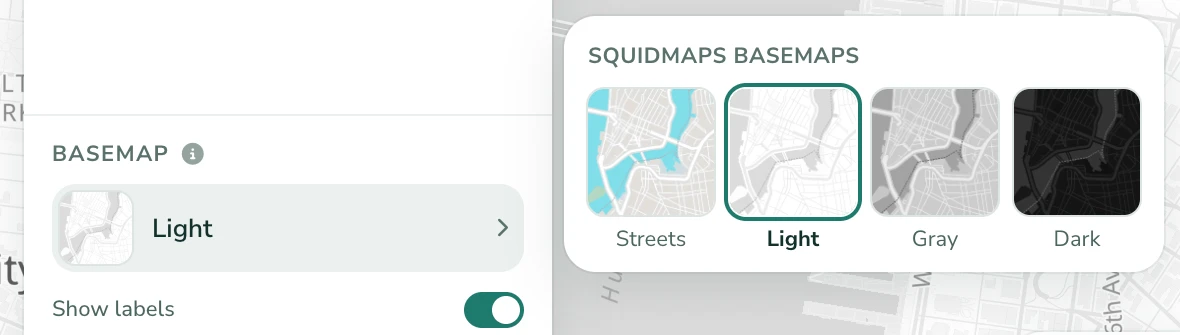
squidmaps has had custom basemaps for a while: pick one of our basemaps and change its colors. As of this week, a map made through the ephemeral maps API can bring its own custom basemap. That’s the API that AI assistants use through the squidmaps MCP server, so you can now ask Claude or ChatGPT for a map and the look of the map underneath it, in one conversation.
To show what that means, I asked an assistant for three maps, each with a themed basemap, and gave it no other direction. Here they are, live.
Three maps, three basemaps
“Make a map with a bubblegum themed basemap.” The assistant chose Manhattan and a couple of candy shops, then made the land pink, the water mint and the roads hot pink.
“Now make another one with a Middle-earth themed basemap.” Parchment land, ink-wash water and sepia roads, with buildings and railways turned off so it reads like an old hand-drawn map. The features are Lord of the Rings filming locations in New Zealand.
“Now make one with a futuristic Tron style.” Glowing cyan roads on near-black, orange railways, and a few Tokyo landmarks in matching orange.
Each one took a single request. Then I added them to my account and published them.
Our approach: a few controls, not every layer
A modern vector basemap is made of dozens of layers: separate ones for highways, major roads, minor roads, their casings and their tunnels, every kind of label, land use, and so on. Full style editors like Maputnik let you change all of them, and that’s great if you’re a cartographer with an afternoon to spare. For most people it’s a wall of options where it’s easy to make a mess.
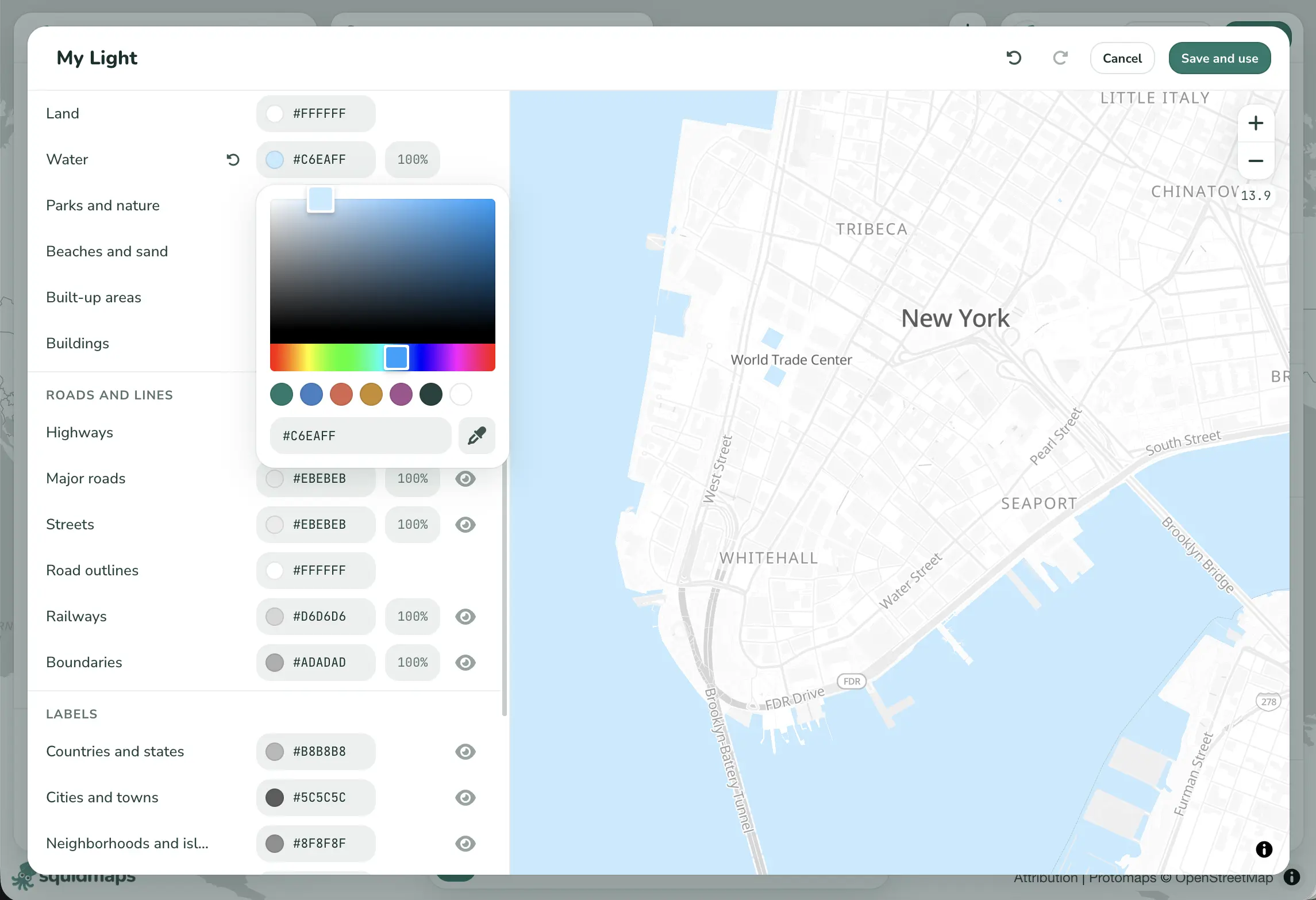
So squidmaps doesn’t hand you the layers. It gives you a short list of the things people actually want to change, and each one does the sensible thing across all the layers behind it:
- Land and water: land, water, parks, beaches, built-up areas and buildings
- Roads: highways, major roads, streets, road outlines, railways and boundaries
- Labels: countries, cities, neighborhoods, streets, water, house numbers and label outlines
- Symbols: highway shields and points of interest
Each control can change some of three things: its color, its opacity, and whether it’s shown at all. Fading the streets or hiding the buildings is often what lets your own features stand out.
A custom basemap starts from one of our four basemaps (Streets, Light, Gray or Dark) and only records what you changed. Anything you leave alone keeps that basemap’s look. And because a control is defined in terms of the basemap’s palette rather than individual layers, your basemap keeps working when we update the basemaps underneath it.
That small, fixed set of controls turns out to be just as useful for an AI assistant. There’s no layer list to dig through, only around twenty named things with a color, an opacity and an on/off switch. That’s easy to get right from a prompt like “bubblegum” or “Middle-earth”.
Made by an assistant, yours to keep
A map made through the API is temporary until someone claims it. When you open its link and add it to your account, its custom basemap comes too, saved to your account like any basemap you’d made yourself. From there:
- Use it on other maps. It’s in the basemap picker for every map you make.
- Edit it by hand. Open it in the basemap editor, nudge a color or hide a layer, and every map that uses it updates.
So you can let an assistant rough out a style, then finish it yourself. Or the other way around.
For developers
Most people will never see any of this: they’ll use the editor or ask their assistant. But if you’re building on squidmaps, here’s how it fits together.
A squidmaps map is one JSON document in the open
map spec. Its basemap field names the basemap under the
features. A custom basemap saved to an account is
{ "type": "CUSTOM", "id": "<its id>" }.
When you create an ephemeral map, you can send
the basemap’s definition alongside the map, as customBasemap. Here’s the
one behind Bubblegum Manhattan:
{
  "name": "Bubblegum Manhattan",
  "basemap": { "type": "CUSTOM", "labelVisibility": true },
  "customBasemap": {
    "name": "Bubblegum",
    "description": "Pink land, minty water, cotton-candy roads.",
    "base": "light",
    "customizations": {
      "land": { "color": "#FFD6EA" },
      "water": { "color": "#8FE3E8" },
      "parks": { "color": "#B8F2C9" },
      "beaches": { "color": "#FFF0B3" },
      "areas": { "color": "#FFC4E1" },
      "buildings": { "color": "#FF9CCB", "opacity": 0.6 },
      "highways": { "color": "#FF5FAE" },
      "major_roads": { "color": "#FF8EC4" },
      "streets": { "color": "#FFFFFF" },
      "road_outlines": { "color": "#F7A8CF" },
      "railways": { "color": "#C58BE8" },
      "boundaries": { "color": "#B46BD9" },
      "country_labels": { "color": "#8A2F6B" },
      "city_labels": { "color": "#8A2F6B" },
      "neighborhood_labels": { "color": "#A8467F" },
      "street_labels": { "color": "#A8467F" },
      "water_labels": { "color": "#1F7E8A" }
    }
  },
  "features": [...]
}baseis the id of the squidmaps basemap it starts from:streets,light,grayordark.customizationsis keyed by control, and each control takes acolor, anopacityfrom 0 to 1, orvisible, where that control supports it.- The map’s
basemapis{ "type": "CUSTOM" }with noid. squidmaps gives the basemap an id when it creates the map, and that id stays the same when the basemap is saved to the account that claims the map.
The ephemeral maps docs list every control, which of them each basemap draws, and how to change the basemap along with the map.
Try it
If you use Claude, ChatGPT or another assistant with MCP, add the squidmaps server and ask for a map with a basemap to match: your team’s colors, a dark map for a night-time story, or something just for fun. Then claim it, and the basemap is yours.